Carrier review documentation
How clients consent to SMS on coil booking forms
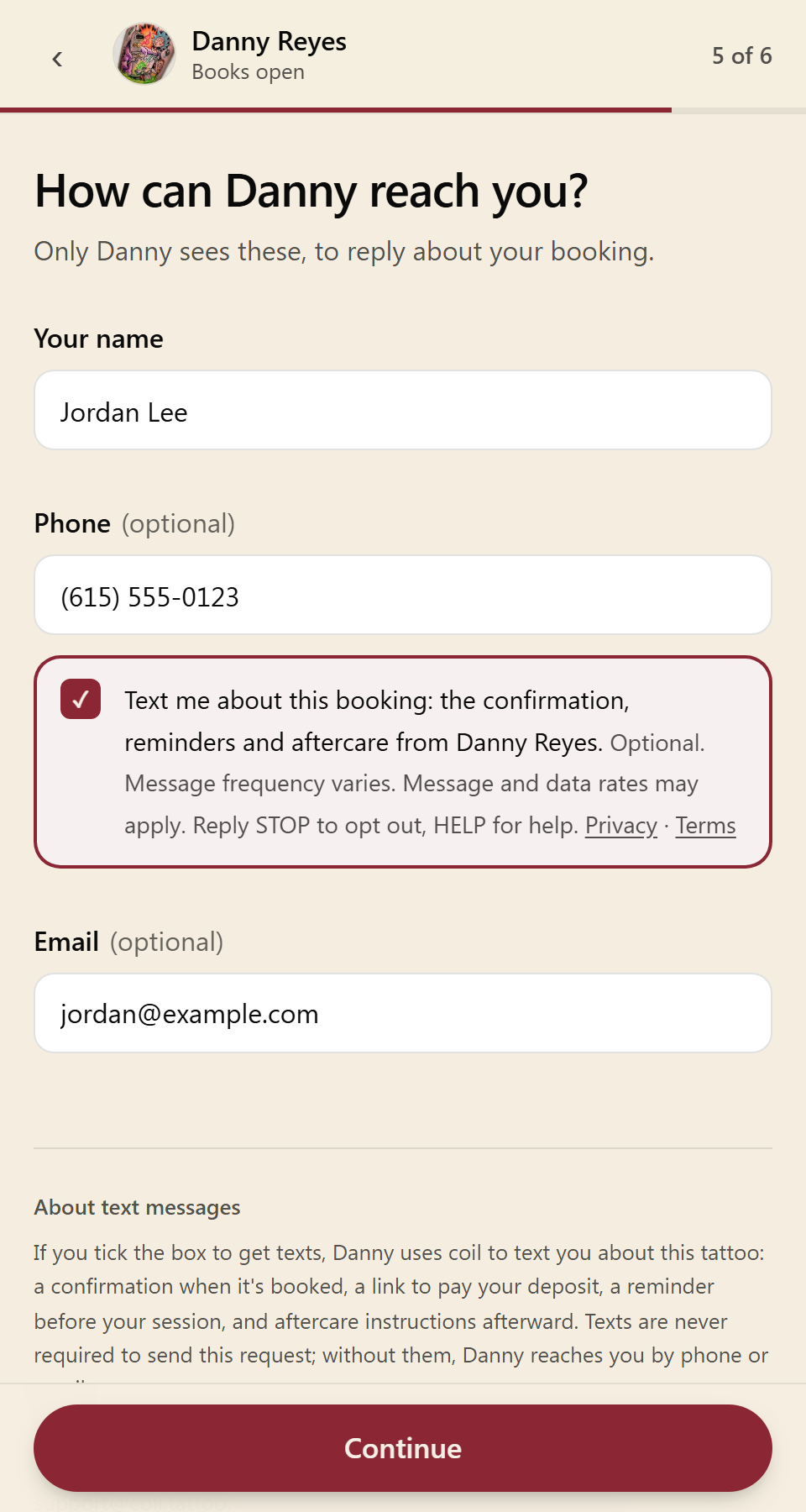
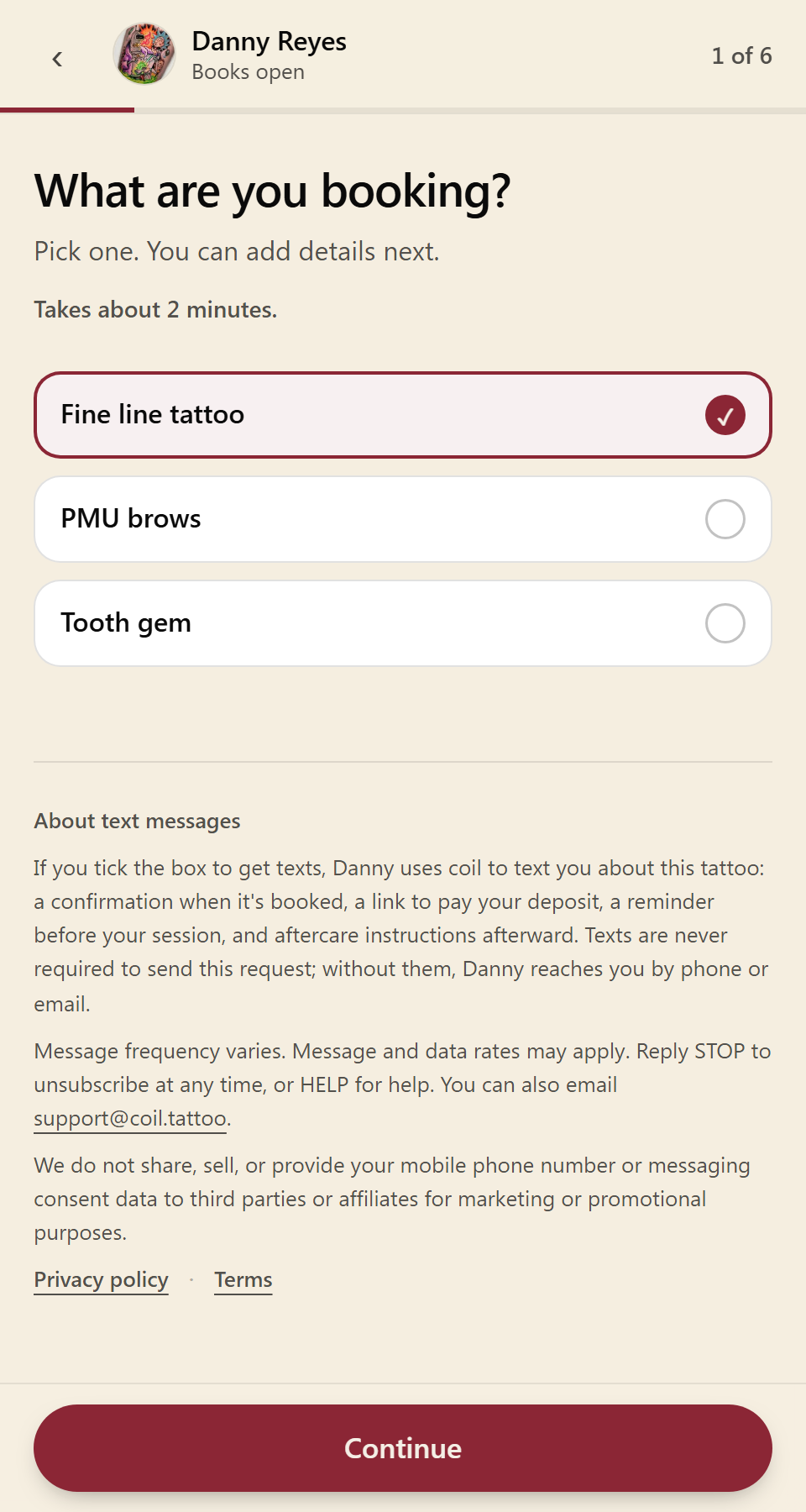
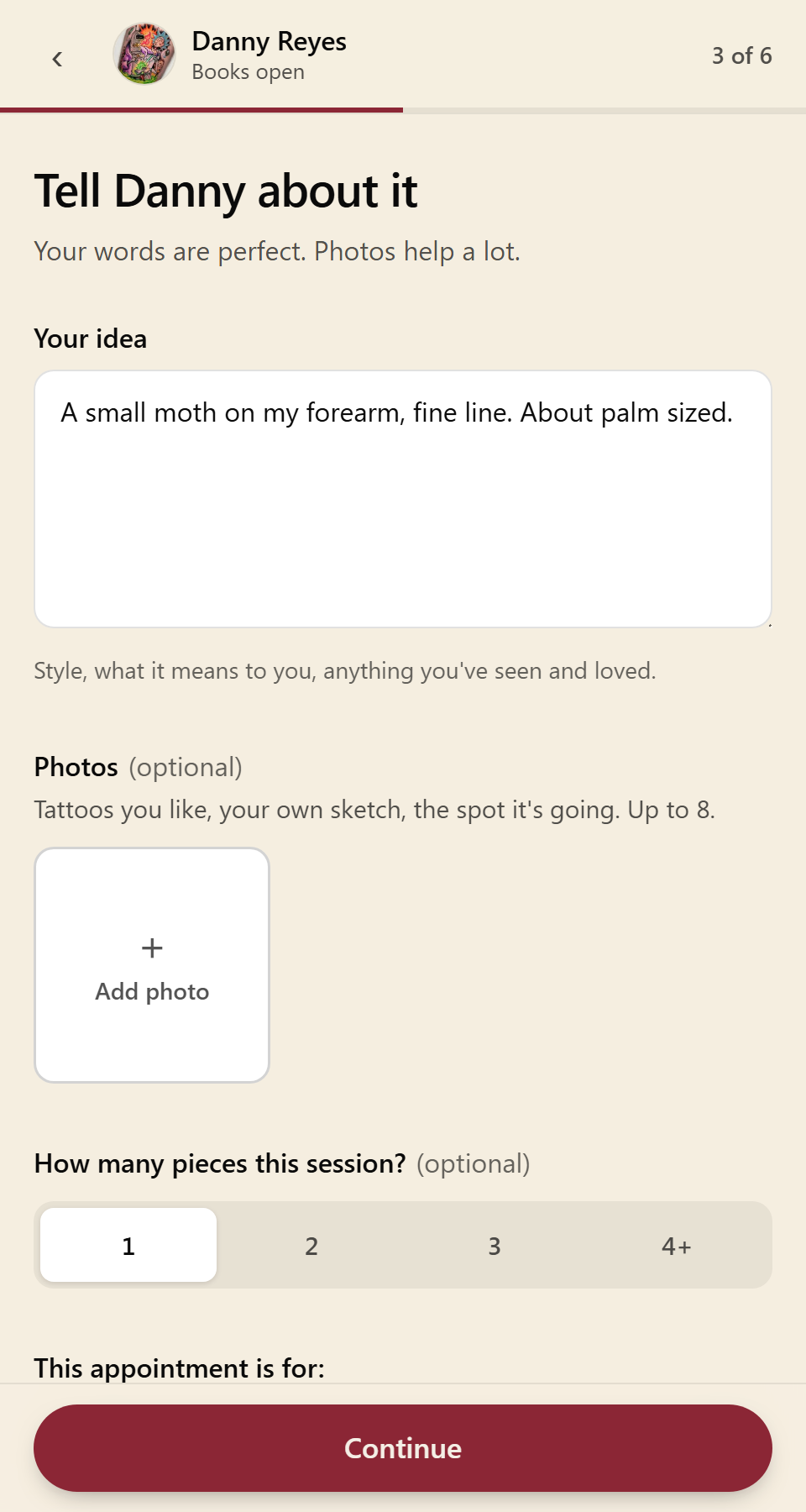
This page documents the end-to-end SMS opt-in experience on booking forms operated by COIL TATTOO, INC. (coil.tattoo) for A2P 10DLC campaign review. The live form is a JavaScript multi-step flow; the screenshots below show each step exactly as end users see it, captured from the production form at coil.tattoo/sites/dannyreyes/inquire.
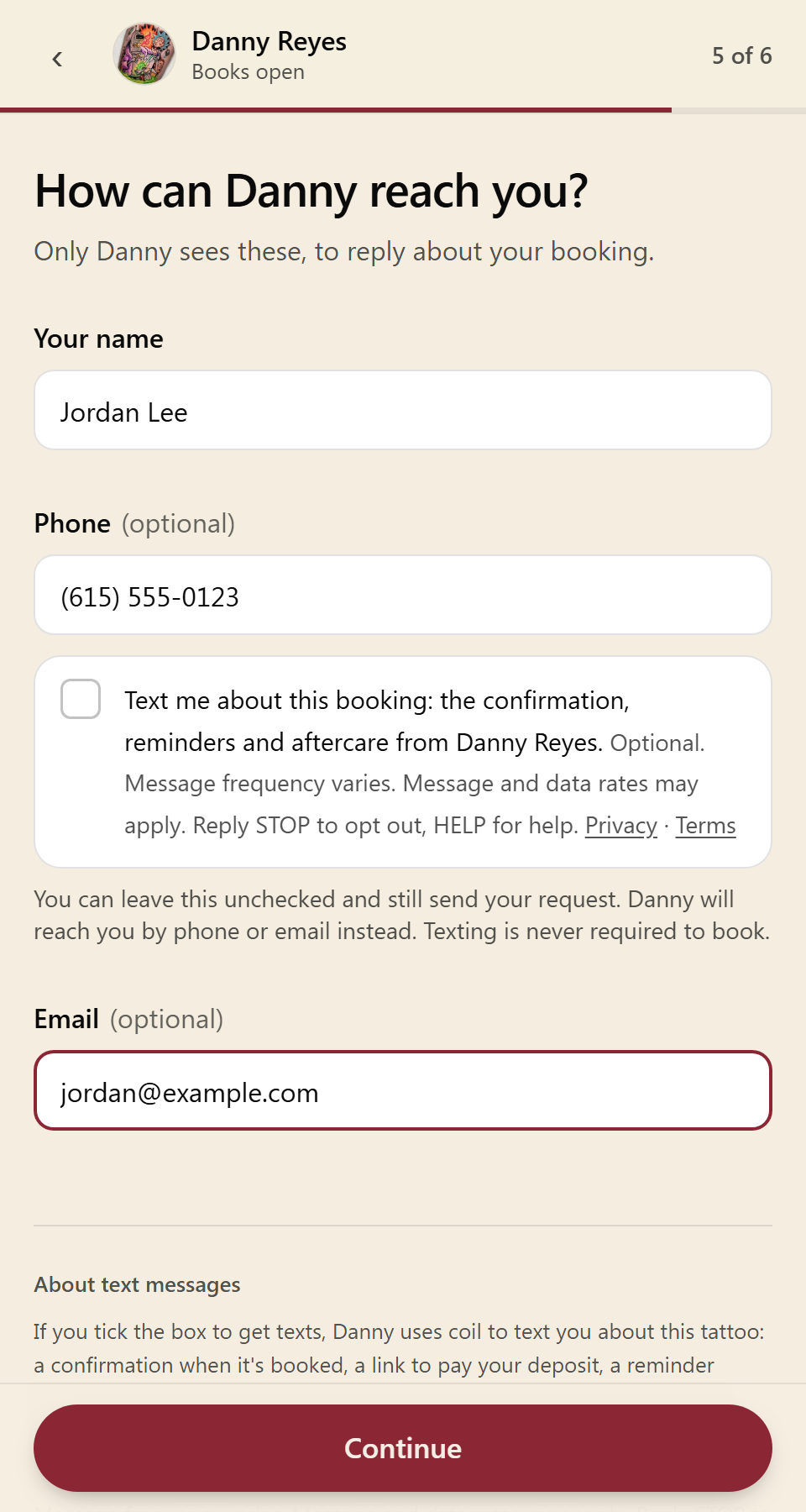
Consent is optional. SMS opt-in is never required to book, to create an account, or to complete any transaction. It is a standalone, unchecked-by-default checkbox, not bundled into the terms of service. A client may enter a phone number, decline messaging, and still submit their booking; the artist then contacts them by phone or email. Clients may also skip the phone field entirely and use email only.
- Privacy policy: coil.tattoo/legal/privacy (opens with the mobile & SMS messaging privacy section, including the statement that mobile numbers and messaging consent data are not shared with third parties or affiliates for marketing or promotional purposes)
- Terms of service: coil.tattoo/legal/terms (SMS program disclosure: program name, message/data rates, frequency, support contact, STOP/HELP)
- Every automated message, and the first message a tattooer sends any client, includes “Reply STOP to unsubscribe.” Messages are sent from the tattooer's own number and say who they are from. A client who replies STOP gets no further messages from that tattooer.
Clients who ask the tattooer directly
Some clients give their mobile number to the tattooer in person, over the phone, or in a direct message, and ask to be contacted by text. The tattooer adds them in coil, and the first text identifies the tattooer and says how to stop (Reply STOP). Those clients then receive the same appointment messages: booking confirmation, deposit link, reminder and aftercare instructions. A client who texts the tattooer's number first has also asked to be texted and gets replies there.
Promotional messages
Promotional texts (a credit for a healed photo, an offer for a next piece, an anniversary note, a “been a while” message) are sent only to clients who ticked a separate, optional, unchecked marketing box. Consent to them is never a condition of booking. Clients without it receive those by email only. Automated messages are sent between 9am and 8pm in the tattooer's time zone.
Step 1: Booking begins
Step 2: Appointment details
Step 3: SMS consent is OPTIONAL and declining does not block the booking
Step 4: If (and only if) the client opts in